

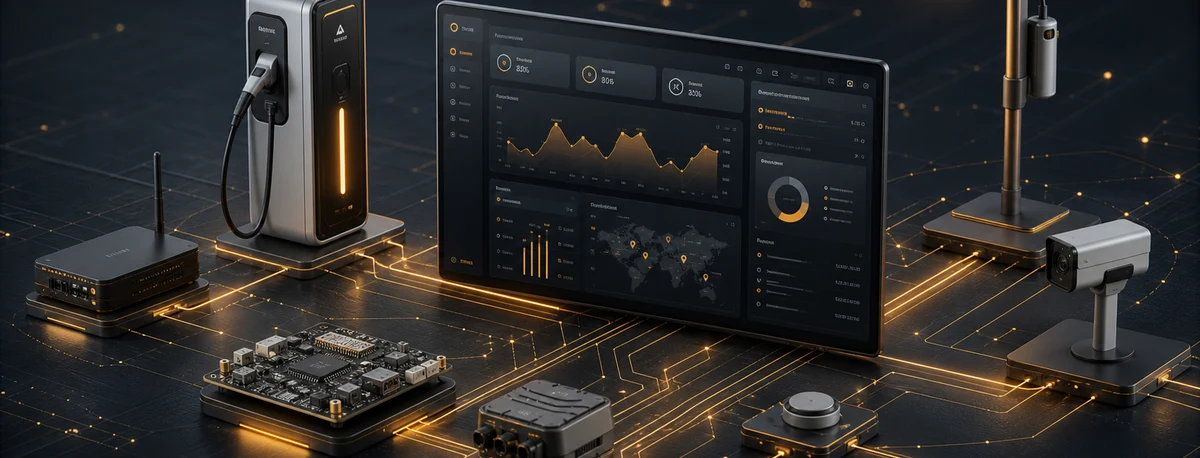
#AITHANEX
All your equipment on one screen
AITHANEX is the telemetry, supervision, management and control platform: it collects what your equipment reports and makes it usable — status, alerts and remote action — without a separate app per device type.
What AITHANEX is
The software layer between your equipment and your operation.
What it is
- Receives and stores what your equipment reports.
- Presents it as status, history and alerts.
- Lets you act on the equipment from the same screen.
Who it is for
- Organisations with equipment across several sites.
- Maintenance teams that travel today just to diagnose.
- Companies operating installations for third parties.
What changes
- No more one app per device type.
- The alert arrives before the customer's call.
- Every action is recorded with who took it.
What changes once it is in
The same work, with the information sooner and without the trip.
| Situation | Before | With AITHANEX |
|---|---|---|
| Equipment stops responding | Found out when someone reports it | An alert arrives with the equipment status |
| Diagnosing an incident | A visit to the site | Status and history from the screen |
| Changing a configuration | Travel and physical access | Remote action, recorded with who took it |
| Handling the affected customer | Each channel separately | One inbox with the case history |
Solve the most urgent thing first
Deploy only what's needed. Each block delivers value on its own and integrates with the previous ones.
Status and alerts depending on connectivity
Chargers, streetlights, sensors and concentrators report their status, letting you assess issues before a visit.
All channels, one place
Your customers write via WhatsApp, call by phone and send emails. Customer service brings all messages into a single tray, with the complete history of each case.
Automate what takes your time
AITHANEX Agents classifies incidents, analyzes conversations and prepares replies with the permissions and limits you define.
Offer the service under your own brand
Each customer or zone only accesses its own. If you offer the service under your identity, end users see your brand.
Supervision and control per coverage
Not every scenario allows full remote control. AITHANEX shows you what you can do remotely, where you need better connectivity and how to bring isolated equipment into the network.
Status, telemetry and alarm supervision
See the status of your equipment in real time: telemetry, consumption and alarms, without travelling to check.
Remote configuration and firmware
Change parameters and update firmware (OTA) when the equipment and connectivity allow it.
Coverage extension
AURA X36 or the LoRa Router extend the network to remote installations without direct connectivity.
Log of every intervention
Every remote action is logged with date, user and alarm context for auditing.
Unattended infrastructure
Remote installations with no staff on shift: continuous supervision, a log of every intervention and remote action.
Intervention log
Every remote action is logged with date, user and alarm context for auditing, preventive maintenance and dispute resolution.
The modules that switch on top
Use the capability that solves your current problem and add the others on the same architecture.
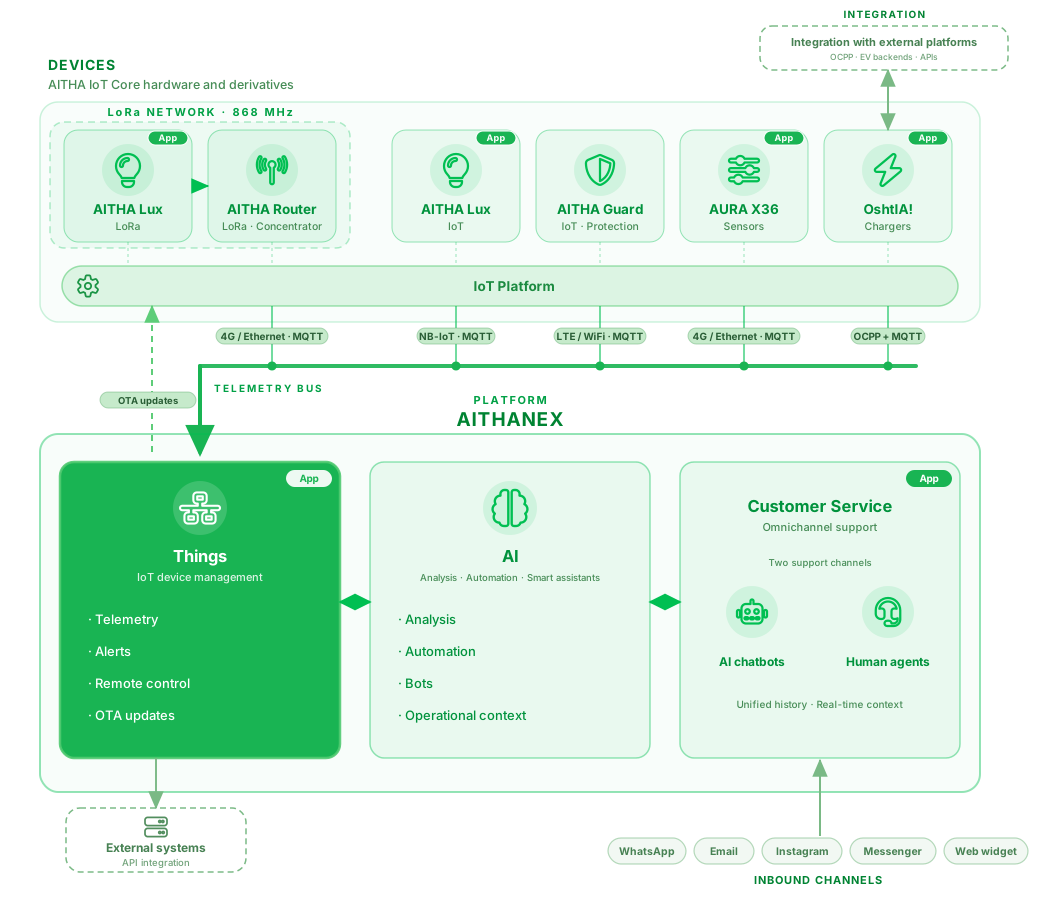
How devices connect to AITHANEX
See the complete architecture: from field devices through connectivity to the platform modules.
Results you can measure after deployment
In the daily practice of the people who operate the system.
More context before an incident
Configured alarms provide context for evaluation and action.
A team that operates from wherever it is
Web and mobile apps keep the same context from any location.
Fewer manual tasks
Classification, routing and notification are automated. Your team handles what requires judgment.
Your brand, if you need it
If you operate for third parties, your customers see your brand and only the information you define.
Preguntas frecuentes
Is it mandatory to use AITHANEX or all its components?
No. You can use only the devices, software or services you need.
AITHANEX is optional and our developments can integrate with existing platforms or be part of solutions already deployed.
Start with the problem you have today
Start from one need and expand on the same base, with technical continuity as the system evolves.